Test Page: Difference between revisions
No edit summary |
No edit summary |
||
| Line 1: | Line 1: | ||
<gallery caption="This is an Image Gallery, great way to showcase your work."> | If you want to add individual pictures go to Insert -> Media and select the Upload tab. Upload your file, give it a name and description and it will be added to the page. If you want the picture to be in-line with your text and not off to the right go to the Advanced Tab when editing the photo and uncheck "Wrap text around this item" | ||
[[File:Hashs GoodWatch.jpg|none|thumb|Hash's [[GoodWatch]]]] | |||
Multiple photo's can be showcased in a Gallery format, click Insert and then Gallery. There are a few display options within the gallery, edit the gallery below to see what I used and feel free to use a format you like.<gallery caption="This is an Image Gallery, great way to showcase your work."> | |||
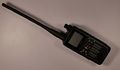
File:TH-D74A.jpg | File:TH-D74A.jpg | ||
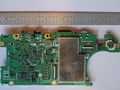
File:TH-D74A Processor.jpg | File:TH-D74A Processor.jpg | ||
| Line 7: | Line 12: | ||
<youtube width="320" height="240">'''UVwoPPe6DwQ'''</youtube> | <youtube width="320" height="240">'''UVwoPPe6DwQ'''</youtube> | ||
== Headings are a great way to segment your page == | |||
=== Sub-Headings allow you to show high level topics while hiding details on mobile === | |||
Now you see the details when you tap the heading. On desktop after three sub headings are created a Table of Content is automatically created | |||
=== Another Sub-Heading === | |||
Some more awesome information here | |||
=== Third times the charm === | |||
Now we have a table of contents | |||
Revision as of 12:22, 18 May 2020
If you want to add individual pictures go to Insert -> Media and select the Upload tab. Upload your file, give it a name and description and it will be added to the page. If you want the picture to be in-line with your text and not off to the right go to the Advanced Tab when editing the photo and uncheck "Wrap text around this item"

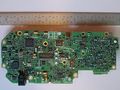
Multiple photo's can be showcased in a Gallery format, click Insert and then Gallery. There are a few display options within the gallery, edit the gallery below to see what I used and feel free to use a format you like.
- This is an Image Gallery, great way to showcase your work.
-
-

-
-


If you want to insert a YouTube video just copy the link below and change the UVwoPPe6DwQ to the embedded code from your video. It's found in the link YouTube gives you to share at the end. https://youtu.be/UVwoPPe6DwQ
Provided ID could not be validated.
Headings are a great way to segment your page
Sub-Headings allow you to show high level topics while hiding details on mobile
Now you see the details when you tap the heading. On desktop after three sub headings are created a Table of Content is automatically created
Another Sub-Heading
Some more awesome information here
Third times the charm
Now we have a table of contents